
 Install extension

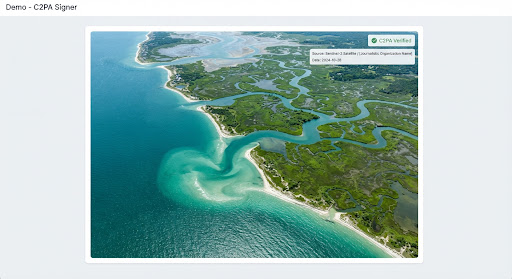
Content Credentials image
Use it to check how a visible C2PA image is detected and how the report explains provenance data.
ProvSeal Demo
This page is built for testing the extension: scan the visible images, download sample files, then compare the badges and reports. ProvSeal reviews provenance and integrity signals — not fake detection.
Open the extension popup on this page and run the page scan. The extension should inspect the visible media and help you compare C2PA statuses and report details.
Use it to check how a visible C2PA image is detected and how the report explains provenance data.

Useful for reviewing declared Content Credentials and the certificate information behind the report.

No credentials does not mean fake. It only means the extension did not find declared C2PA evidence.

Use it to inspect declared generation metadata and how the report exposes C2PA actions.

Useful for reviewing edit history, manifest actions and certificate-chain details.

Compare this credentialed version with the no-credentials landscape sample.
Download a sample, open the extension, then drop the file into the local file verifier. Files are not uploaded to a ProvSeal backend.
In a CMS, DAM, newsroom or compliance dashboard, C2PA status badges can help reviewers decide what to inspect next and open the full report when provenance details matter.
ProvSeal helps reviewers inspect provenance and integrity signals directly where media appears. The badge is a starting point: the full report remains the source for certificate, manifest and action details.
Install the extension, scan this page, then open the docs for status meanings and signing workflows.