Recognized chain
Manifest integrity is valid and the certificate chain is recognized by the trust context.
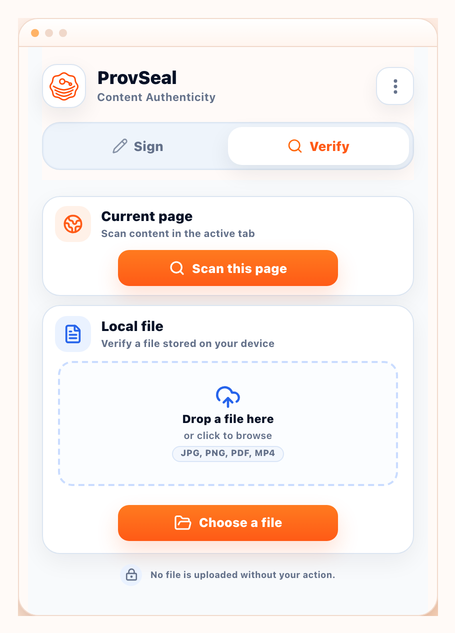
Verify, explain and test-sign C2PA Content Credentials locally in Chrome — without uploading files to a C2PA Signer backend.
These four statuses keep reviews explicit: provenance and integrity signals mapped to clear indicators.
Manifest integrity is valid and the certificate chain is recognized by the trust context.
Manifest exists and is intact, but the certificate chain is unknown, self-signed or not publicly recognized.
Manifest information does not match the current file or the C2PA evidence cannot be validated.
No C2PA manifest was detected in the media file or visible page media analyzed by the extension.
Open the demo, run “Analyze page” in the extension, then compare Trusted, Signed but untrusted, Invalid and No credentials results against visible media.
Launch Live DemoUse the extension to review evidence, not to make truth claims about the visual content.
Phase 01
Run a user-triggered page scan and review provenance badges on detected media.
Phase 02
Open the report to inspect C2PA manifests, integrity checks and certificate trust chains.
Phase 03
Generate test certificates for development, or import your own signing material for workflows.
Selected files are processed locally by the extension. C2PA Signer is designed to help inspect provenance and integrity signals without sending your media to a C2PA Signer backend.
Local-first processing keeps file analysis under your action and avoids backend upload for selected media.
C2PA evidence is not fake detection. C2PA Signer does not decide whether media is real or fake.
Test certificates are for demos and development only. Public trust requires a recognized certificate chain and appropriate signing identity.
C2PA Signer can support custom CMS, DAM, internal dashboard or branded extension workflows for enterprise teams.